How to Create a Simple Terminal History Searcher
This guide shows how to build a simple terminal history search tool using fzf. You’ll learn how to pipe your shell history into an interactive fuzzy finder, filter commands as you type, and quickly select or re-run previous commands. By the end, you’ll have a small but powerful utility that makes navigating your command history significantly faster.
1. Install fzf if you don’t already have it
sudo apt install fzf2. Open .bashrc again in Your Favorit Editor and Past the Following
With this you’ll be able to fuzz search you terminal history, without any duplicates, but instead of executing it directly it will be selected and you can edit the command before executing it.
Change the \C-e to which ever shortcut you’d like, in my case I’ll go with ctrl + e.
fzf-history-edit() {
  local cmd
  cmd=$(
    history \
      | awk '!seen[substr($0,index($0,$2))]++' \
      | fzf --tac \
      | sed 's/^[ ]*[0-9]\+[ ]*//'
  )

  READLINE_LINE="$cmd"
  READLINE_POINT=${#cmd}
}

bind -x '"\C-e": fzf-history-edit'
3. Re-soruce bashrc
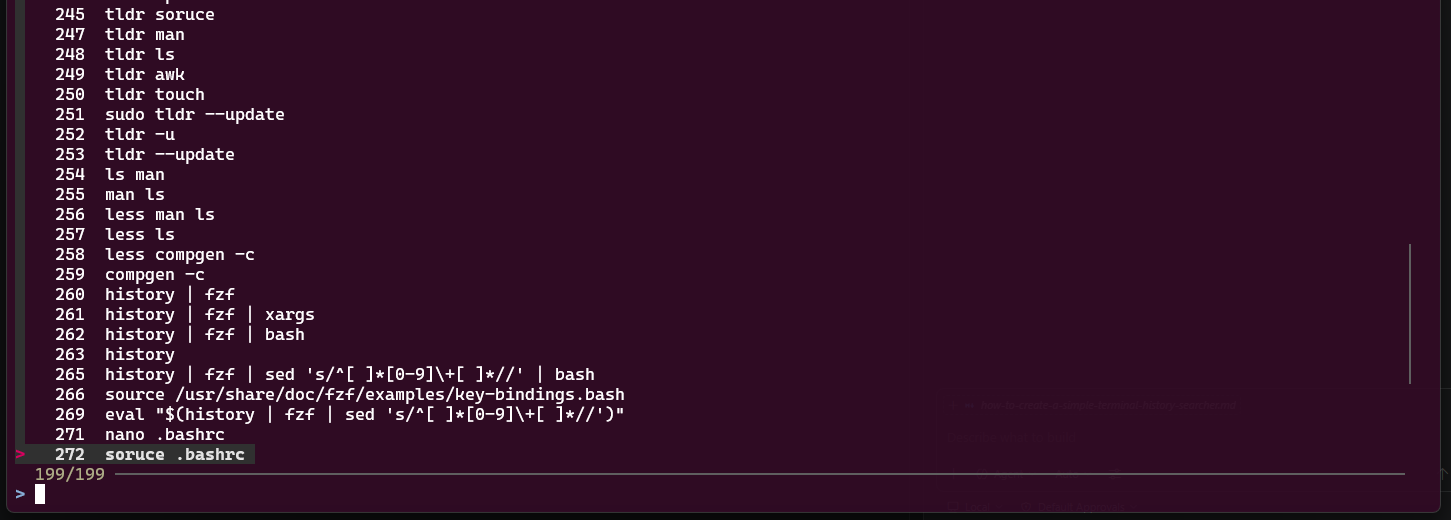
source ~/.bashrcThe press ctrl + e and you should see something like this
Congrats!! You have succesfully created a powerfull history searcher
// Miyarima